
Public Links
A public link lets anyone open a message on a web page, without an account. You can share your own messages this way, and you decide whether each recipient may share what you send them. Nothing is shared unless someone chooses to.
Which plans include public links?
Every plan. On the Free plan you can have up to 5 active links at a time; taking one down frees a place. Paid plans have no limit.
How do I let a recipient share my message?
When you write a message, you answer Once it arrives, can your recipient share it with a link?: Yes or No, it’s just for them. Nothing is picked in advance; you choose one to continue. You can change it later from the message’s Sharing section.
How do I share my own message?
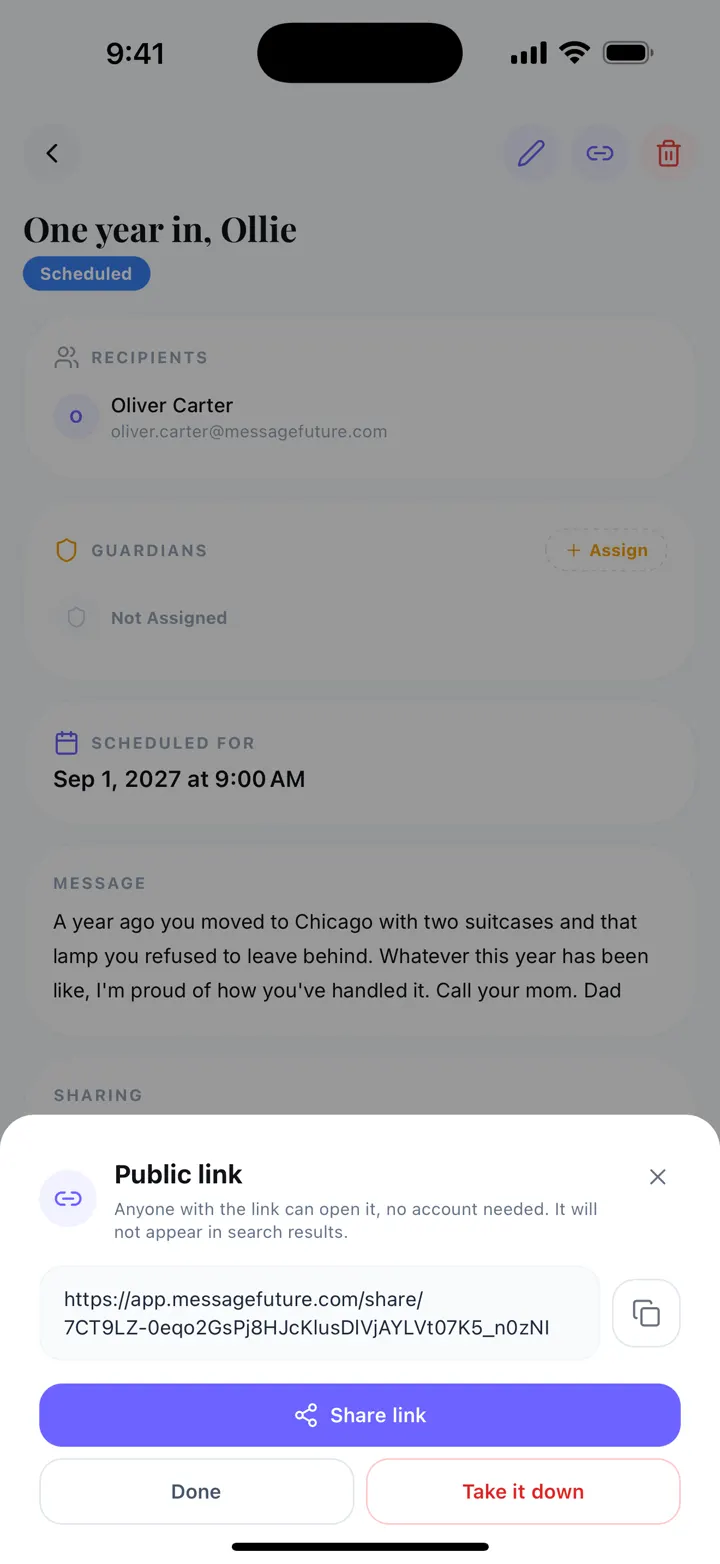
- Open the message. It must be confirmed (scheduled, Timeless or delivered), not a draft.
- Choose Share publicly.
- Copy the link or share it.
How does a recipient share a message?
If you said yes, they see a share option when they open the message, and can create a link the same way.
What does the public page show?
The message, with its photos, voice notes or video, and buttons to share it. Anyone with the link can open it. Search engines never list it.
How do I take a page down?
Open the message and choose Manage public link, then take the page down. The link stops working straight away.
Can I report a public page?
Yes. Anyone can report a public page from the page itself, without an account, for reasons such as spam, harassment or impersonation.