
Voice Cloning for AI Twins
On Standard, Pro and Pro Max you can give your AI Twin a cloned voice: you read a short passage aloud, about 45 seconds, and the Twin’s replies can then be spoken in a voice close to your own voice.
Who can add a cloned voice?
Anyone on a paid plan, for a Twin of themselves. You record the voice yourself, reading a passage that includes a short code we show you, so a voice can’t be cloned from someone else’s recording.
What does it cost?
25 credits to create the cloned voice, once. After that, each reply your family chooses to hear spoken costs 3 credits on top of the normal chat cost, paid by the person listening. See Credit Costs Reference.
How do I record it?
- Open your Twin. On the web choose Add a cloned voice; in the app choose Add Voice Clone.
- Read the terms about your voice data, then choose Continue to recording.
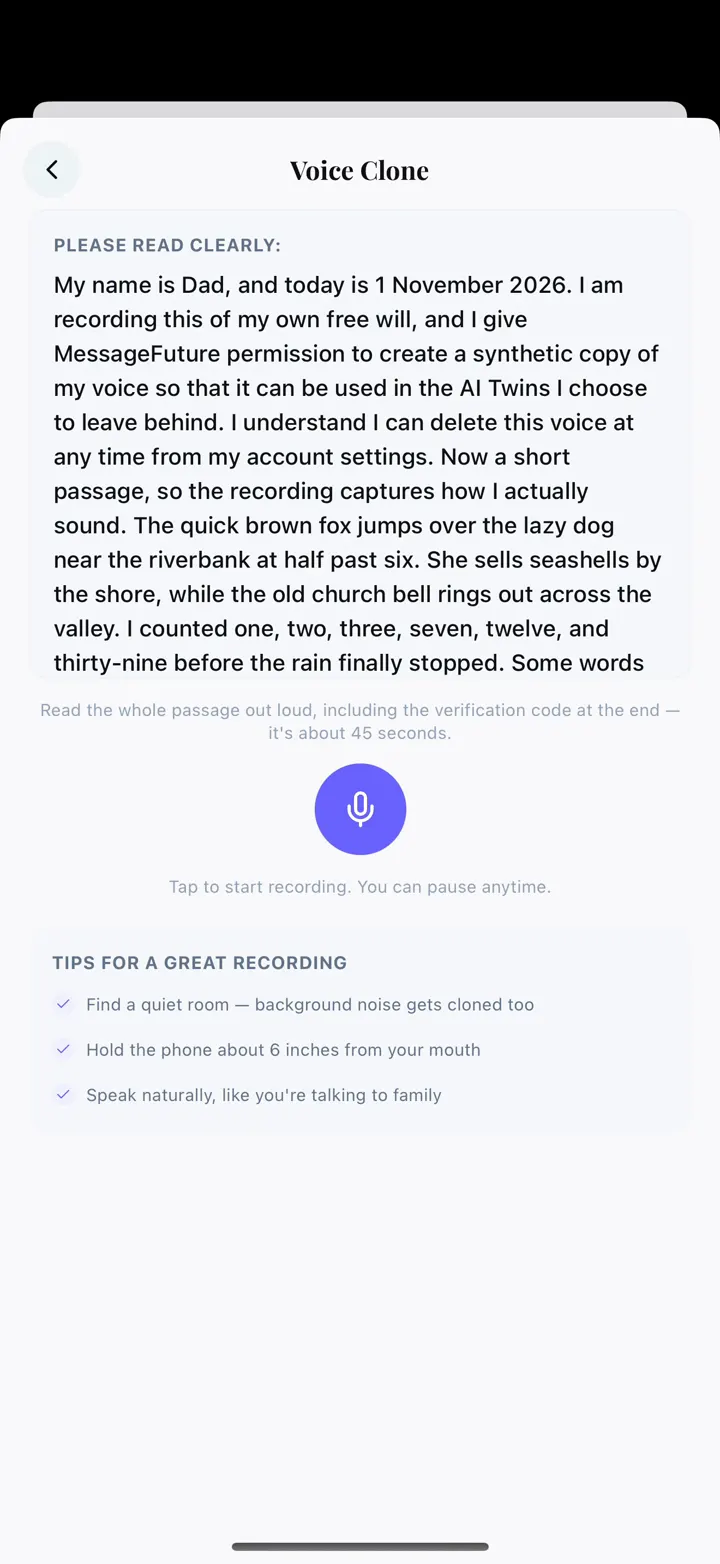
- Find a quiet room, because background noise gets cloned too. Hold the phone about 6 inches from your mouth.
- Tap record and read the passage on screen clearly, in your normal voice. You can pause at any time.
- Submit the recording. When it is ready you see Voice Clone Active.
What happens to my recording?
The terms on screen explain what is kept and why. You can remove the voice at any time, and the voice model is deleted. See AI Twin Consent & Data Policy.
How does my family hear it?
In a chat with your Twin, they can choose to hear a reply spoken. Spoken replies are available to people on Standard and above.
Can I change or remove the voice?
Yes. Open the Twin and choose Manage Voice Clone:
- Change Voice records a new one in its place.
- Remove Voice From This Twin deletes the voice model. This can’t be undone.
If you have more than one Twin of yourself, you can choose Use an existing voice instead of recording again.