
Subscription Plans
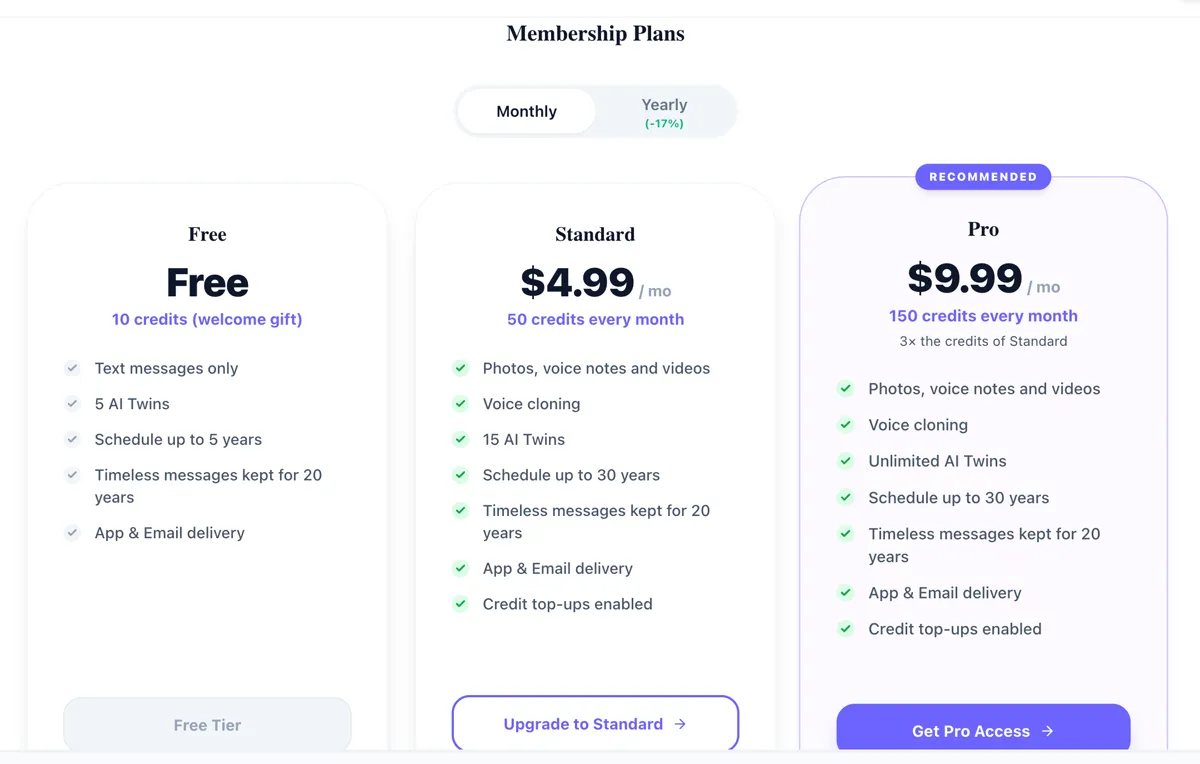
MessageFuture has four plans: Free, Standard, Pro and Pro Max. Free is text only and comes with 10 credits; the paid plans add photos, voice notes and video, voice cloning, more AI Twins and monthly credits.
How do the plans compare?
| Free | Standard | Pro | Pro Max | |
|---|---|---|---|---|
| Monthly price | $0 | $4.99 | $9.99 | $29.99 |
| Yearly price | $0 | $49.99 | $99.99 | $299.99 |
| Credits | 10 when you confirm your email | 50 a month (600 a year) | 150 a month (1,800 a year) | 600 a month (7,200 a year) |
| Photos, voice notes and video | No | Yes | Yes | Yes |
| Schedule up to | 3 months ahead | 30 years ahead | 30 years ahead | 30 years ahead |
| Timeless messages kept for | 20 years | 20 years | 20 years | 20 years |
| AI Twins | 5 | 15 | Unlimited | Unlimited |
| Voice cloning | No | Yes | Yes | Yes |
| AI Suggest | No | Yes | Yes | Yes |
| Credit top-ups | No | Yes | Yes | Yes |
| Public links | Up to 5 active | Yes | Yes | Yes |
What can I do on the Free plan?
Write and schedule text messages up to 3 months ahead, write Timeless messages, add Guardians, create up to 5 AI Twins and chat with them, add written memories to your Twins (6 credits each), and share messages with public links. Messages and memories use the 10 credits you get when you join. To add photos, voice notes or video to a message or a memory, you need a paid plan.
Is there a free trial?
Yes. Pro and Pro Max have a 7 day free trial, once per account. The free trial is currently available on the web only. See How does the free trial work?
How do I upgrade?
On the web:
- Open Wallet in the menu.
- Under Membership Plans, choose monthly or yearly, then choose a plan.
- Pay at secure checkout. Your new plan and its credits start straight away.
On iPhone and Android:
- Open Settings, then Wallet.
- Under Membership Plans, choose a plan and confirm with the App Store or Google Play.
The apps offer monthly plans. Yearly plans are on the web.
How do I change or cancel my plan?
See Managing Your Subscription. A plan bought in the app is managed in your App Store or Google Play settings; see In-App Purchases: Mobile.